


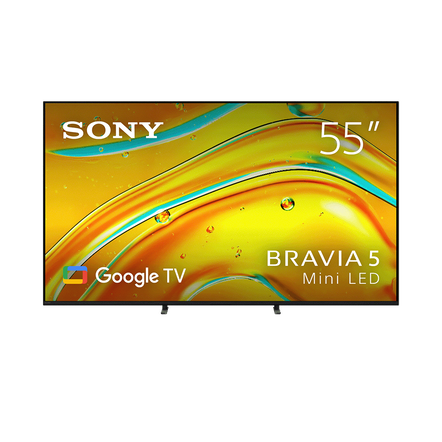







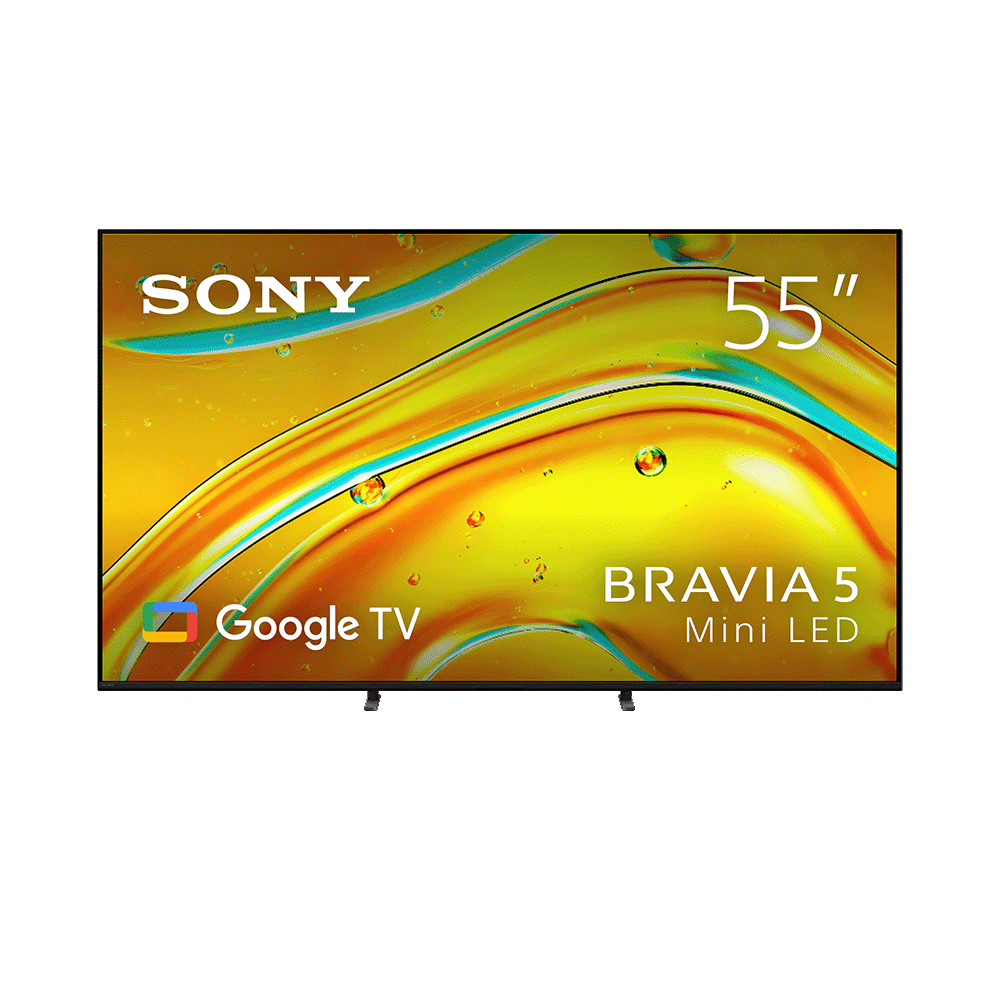
55" BRAVIA 5 | XR Processor | Mini LED | 4K Ultra HD | HDR | Google TV
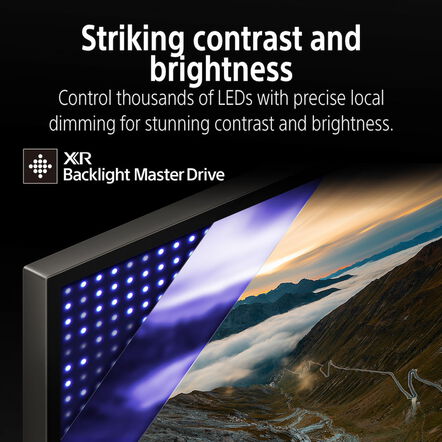
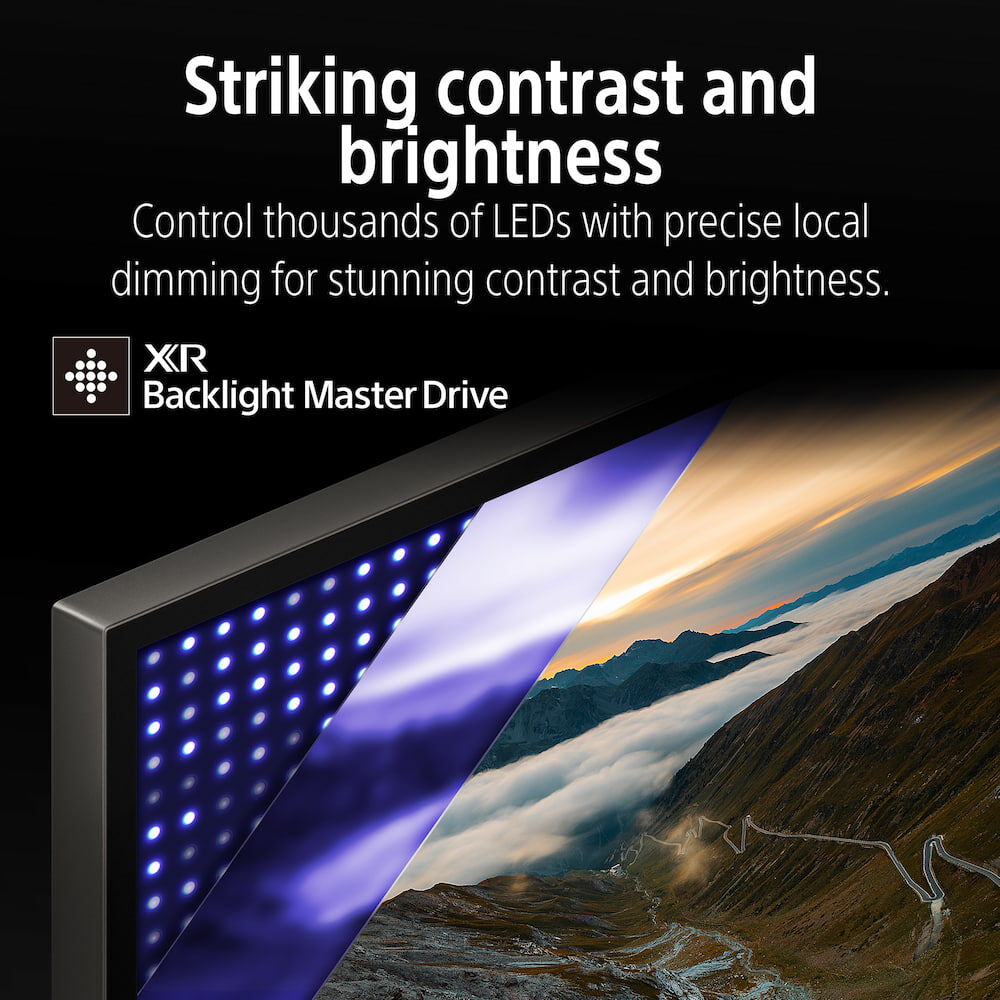
- XR Backlight Master Drive - Mini LED
- XR Triluminos Pro
- XR Processor
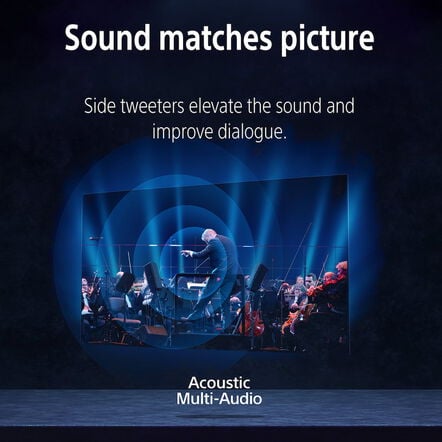
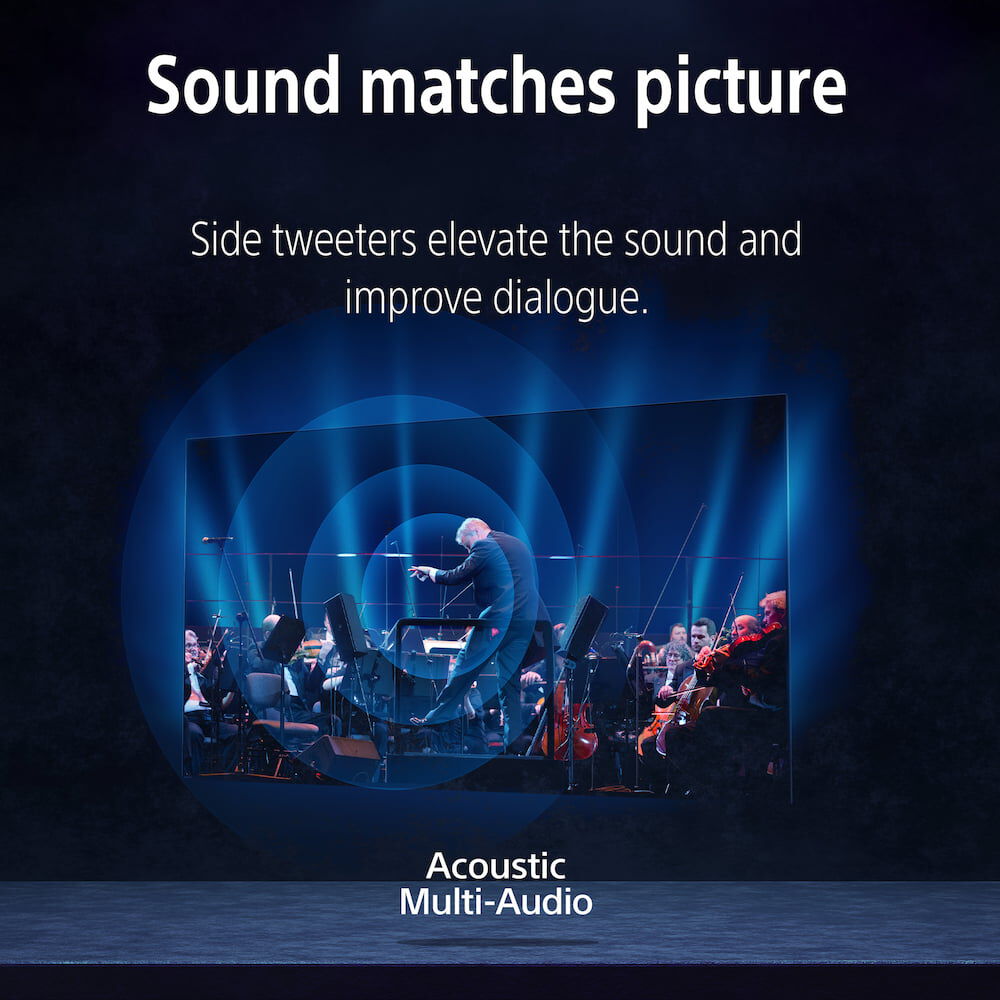
- Acoustic Multi Audio
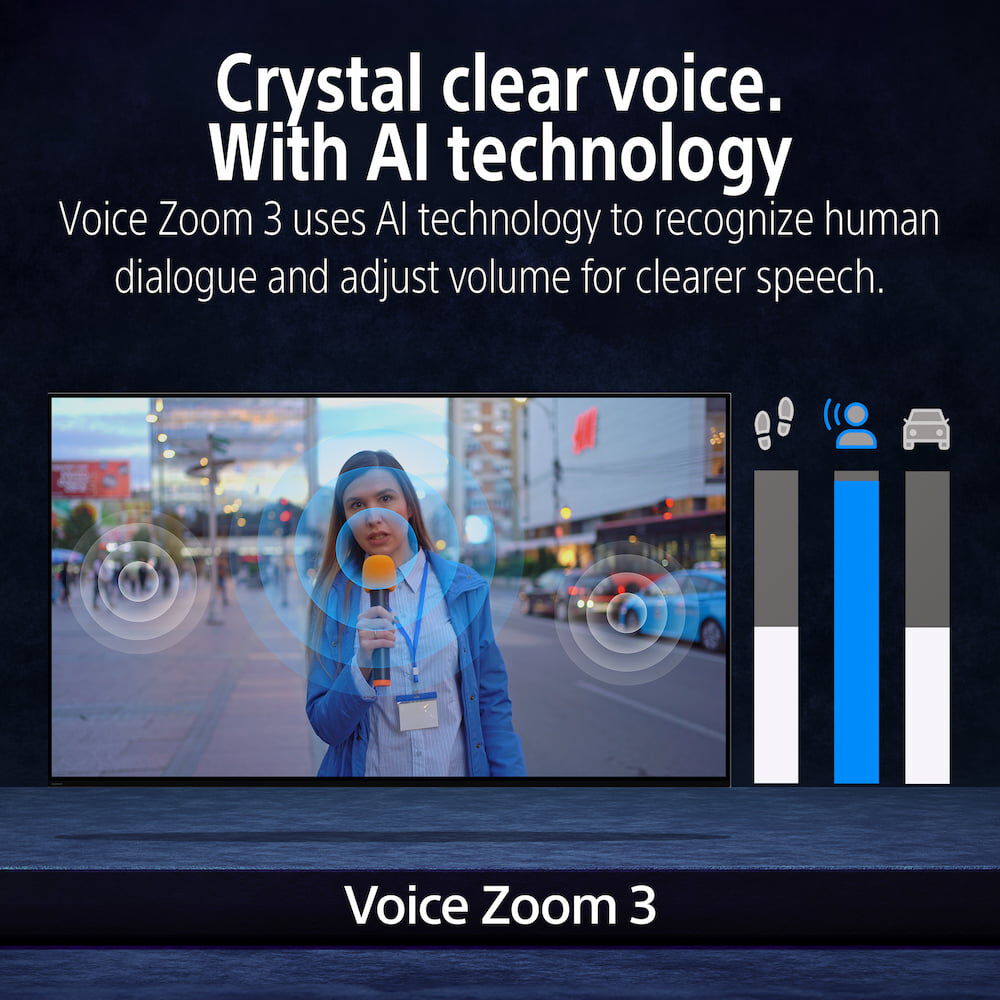
- Voice Zoom 3
Details
https://store.sony.co.nz/television-4K/K55XR50.htmlProduct Actions
 Delivery





Why join MySony? Sign Up

10% off Sign-up Offer ($100 cap for TV products - $50 cap per order for all other eligible products)
Enjoy a single use voucher for 10% off an eligible purchase ($100 cap for TV products - $50 cap per order for all other eligible products) when you join MySony^
MySony Member Benefits

Free Shipping

Money Back

$20 Birthday voucher
^Exclusions and Terms and conditions apply. Only for new accounts created on or after 18 Aug 2025 that choose to opt in to news and offers from Sony. Discount will be 10% off ($100 cap for TV products - $50 cap per order for all other eligible products) according to product, and is subject to change. Voucher is valid for limited time. Offer is subject to change. Not valid in conjunction with any other offer. Click here for offer details





Product Gallery


Key Features

Stay tuned. Stay calm.
See everything in a more comfortable light for peace of mind. Calm picture setting is a picture quality mode that lowers brightness and uses softer colours and contrast.

Easy to clean and use. Made with recycled plastic.
Controls everything. Our compact remote uses approximately 80 recycled plastic. Yet it's easy to clean with a flush surface and polyurethane coating, and controls your connected devices.

One Slate. Sleek simplicity from everywhere.
Totally unified. Our One Slate concept fuses screen and bezel into a single slate, minimising distractions and maximising your experience.

Flush Surface. Drawing you in.
Form and function, beautifully combined. Our unique Flush Surface design gives the TV a clean, contemporary look. This is beauty that doesn't get in the way of your viewing.

Initiatives at Sony
Sony leverages creativity and technology to enhance the accessibility of our products, services, and experiences. Through our commitment to an inclusive future, we aim to create a world where everyone belongs.

Bring the cinematic experience home, enjoy movies included with BRAVIA
A huge number of movies are waiting for you. With BRAVIA technology, Pure Stream and IMAX Enhanced, everything you watch is delivered with stunning visuals and expressive sound quality.

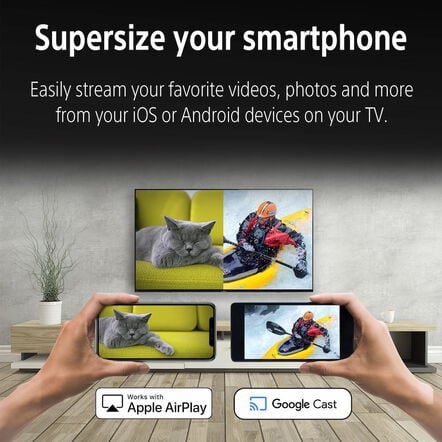
Google Cast
Stream from your device. Easily cast movies, shows, photos, and more from your phone or tablet, right to your TV.

Compatible with Apple AirPlay 2
Stream effortlessly to your TV from your iPhone, iPad or Mac. Watch movies from apps or Safari. Share photos with friends in the room.

Just use your voice to control your TV with help from Google Assistant
Your TV is more helpful than ever. Ask Google Assistant to find movies, stream apps, play music and control the TV with your voice. Get answers, adjust room temperature and lighting, even check the front door. Press the Google Assistant button on the remote to get started.

Connect with your Alexa
Connect your Alexa enabled devices for seamless hands-free control of BRAVIA. With Alexa, you can power up your TV, change channels, control volume and more.

More intuitive. Modern interface.
Finding your way around just got easier. We've redesigned our user interface for smoother operation so you can effortlessly check inputs and view settings.

A handy way to control your TV
As easy as a flick of the fingers. Gesture Control enables you to change channels, adjust volume and more using simple gestures, no remote required.

Less packaging. Less CO2.
Our packaging is maximum 41 smaller and maximum 12 lighter which optimises transport efficiency and reduces CO2 emissions by as much as 31.

Accessibility for all, whatever your needs
Technology that adapts to you. No matter your age, ability, or environment, we make it easier for everyone to see, hear, and enjoy the best of entertainment.

TV for the whole family
With kids profiles, kids get their very own Google TV experience-a space that's just for them, with their own apps and entertainment. Kids can pick from a selection of playful avatars and themes, and parents can restrict what streaming services are shown, limit watching time, and set a bedtime.

Ready for 360 Spatial Sound Personalizer
Tailor your Dolby Atmos and DTS:X experience by combining our wearable speaker or BRAVIA Theatre U with BRAVIA for spatial surround. Works with some Sony Headphones too.

Single view, simultaneous sound
Our TV with simultaneous sound output lets you listen to a show on your headphones while your partner listens to the same show through the TV speakers. You can also change the volume using Bluetooth devices separately. Using Sony's headphone, you can smoothly switch Bluetooth connection from other devices.

Everything you stream. All on one screen.
Browse 400,000+ movies and TV episodes from across your streaming services, all in one place and organised into topics and genres based on what interests you.

Over 10,000 apps and games, straight to your TV
Turn on and tune in, all at once. With dedicated buttons for your go-to apps, you can skip the TV warm-up and dive right into the action.

SONY PICTURES CORE brings the cinematic experience home
This is how you were meant to enjoy movies. SONY PICTURES CORE Calibrated Mode has been jointly developed by our TV engineers and Sony Pictures specialists to bring studio-quality picture mastering to your living room.

Watch Netflix in studio quality, automatically optimised
See Netflix in a whole new light. Our Netflix Adaptive Calibrated Mode, designed by Sony and Netflix, brings studio-quality mastering home with brightness automatically adjusted to your ambient room conditions.

Sony and Prime Video bring studio pictures home
See movies, shows, and even live sports the way the filmmakers and broadcasters intended. With Prime Video Calibrated Mode, picture settings are auto calibrated to what you're watching including live sports for studio-quality Prime Video at home.

Immersive movie experience
Experience truly unforgettable movies at home. Our TV supports the rigorous standards of IMAX Enhanced, DTS:X, Dolby Vision and Dolby Atmos for an unbelievablly atmospheric and immersive viewing experience.

IMAX Enhanced sound by DTS:X
You can enjoy a truly cinematic experience with select Disney+ titles on BRAVIA and BRAVIA Theatre, powered by IMAX Enhanced technology.

Talkback and text magnification functions
Talkback allows you to check the TV programme guides on screen or to change TV settings without looking at the screen, while the Text Magnification will display an enlarged version of the focused text at the bottom or top of the screen.

Hands-free operation, including video searches
Users of BRAVIA with Google Assistant built-in can simply say "OK Google" and say a task, for example, searching for a YouTube video, and it will be done. Voice commands can also be used to operate the BRAVIA itself, such as turning it on or off or changing the volume.

Accessible for all
To help people who are blind or have low vision set up the soundbar, tactile dots indicate a QR code for the BRAVIA Connect app, which offers screen reader support. Tactile dots on the back panel indicate the eARC HDMI terminal for connecting to a TV.

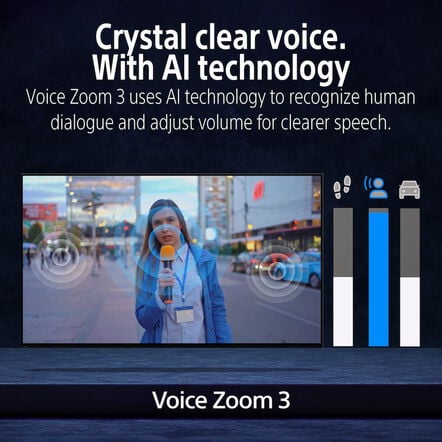
Crystal clear voice. With AI technology.
No more muffled voices. Our Voice Zoom 3 recognises human dialogue through AI machine learning and amplifies or reduces its volume so even small dialogue sounds loud and clear. Works with our home theatre products too.

Colour inversion
Our TV with simultaneous sound output lets you listen to a show on your headphones while your partner listens to the same show through the TV speakers. You can also change the volume using Bluetooth devices separately. Using Sony's headphone, you can smoothly switch Bluetooth connection from other devices.

Accessibility shortcut
Invert the brightness of colours so that bright areas become dark, and dark areas become bright. This feature can be turned on or off as needed. If the text is easier to read with a dark or bright background colour, you can use Colour Inversion to change the background colour.

Menu timeout function
Accessibility shortcut allows you to quickly and easily turn your accessibility features on or off by long-pressing the mute button on your remote control. You can assign an accessibility feature you use the most to this shortcut.

Subtitle
Menu timeout can be used to extend the display time of a notification.

Volume preset. No more loud surprises.
Closed captions provide on-screen transcriptions of spoken words and sound effects in your favourite shows and movies. Use the subtitle settings to capture every detail and make content accessible.

Perfectly integrates TV and soundbar, almost no stand visible
The Power-on Volume feature ensures your TV always starts at a pre-set, comfortable level, even after it's been turned up. Enjoy consistent audio every time you power on.

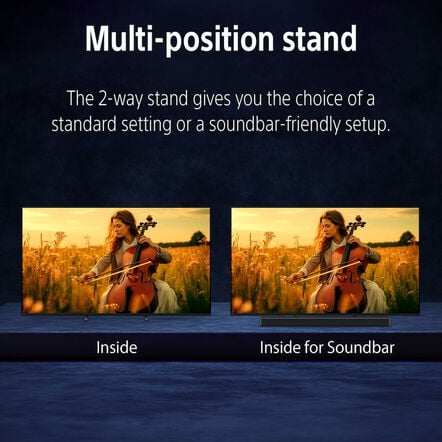
2-way stand-adaptable and versatile
Cleverly concealed. Our Underlay Stand is a thin, flat steel plate designed with a metallic hairline finish. Stack BRAVIA Theatre on top of the stand and it virtually disappears.

Perfect for PlayStation5
Suits your space. Our 2-way stand gives you the choice of a compact inside position for smaller shelves or a soundbar-friendly setup-no need to compromise on style.

Auto HDR Tone Mapping
Be right at the heart of the action with BRAVIA. Awe-inspiring scenes, atmospheric sound and exclusive features bring your go-to games to life like never before.

Auto Genre Picture Mode
Auto HDR Tone Mapping instantly optimises HDR settings during your PS5 and PS5 Pro console initial setup. Even in dark shadow and bright highlights, you'll see fine details and true colours.

Less virgin plastic, more recycled
BRAVIA automatically switches into Game Mode with PS5 and PS5 Pro consoles to minimise lag and maximise responsiveness. It switches back to Standard Mode when watching movies for more expressive scenes.

From the studio to your screen
Considering the environment. This TV uses recycled materials for the rear cover, bezel, speaker box and inner/outer parts to reduce virgin plastic use.

Uniquely shaped for clearer sound and deeper bass
Dive into cinema-like visuals at home. Our home entertainment picture quality expertise helps us faithfully reproduce the creator's vision with Studio Calibrated modes developed through collaboration with Sony and the world's top streaming services.

Stream PlayStation games to your BRAVIA
Clarity is crucial. Unlike conventional TV speakers where sound waves can become blurred, our X-Balanced Speaker with its uniquely shaped diaphragm reduces distortion for improved sound resolution.

All your gaming essentials in one place
Control your PlayStation remotely wherever you have a compatible BRAVIA connected to the internet. The PS Remote Play app lets you control your PS5, PS5 Pro or PS4 console from another room or location like a friend's house.

Gaming multi view on YouTube, a game-changer
Everything's so easy with Game Menu 2. Check your status, fine tune settings and access assist functions from one place. You can even search for YouTube videos and switch to Gaming multi view on YouTube in an instant.[FN|Available functions may vary depending on model, region, or country.<br />]

Dolby Vision support brings gaming to life
Imagine being able to play a game on one side of your screen while watching a YouTube walkthrough video on the other. Gaming multi view on YouTube lets you do just that, no extra display required.

Various features in HDMI 2.1
This is how your game world should be. Incredibly vibrant colours, lifelike contrast in light and dark, intense brightness. With Dolby Vision, gaming reaches a whole new level of depth and realism.

Love the planet, smart for all
Our TVs feature 4K at 120fps, Variable Refresh Rate and Auto Low Latency Mode, delivering smooth and clear movement for responsive gameplay.

Balancing environment and entertainment
BRAVIA is designed to harmonise with people's needs while respecting natural resources. We're accelerating our accessibility initiatives, enabling people who are blind or deaf to use Sony's devices, and expanding our environmental initiatives by incorporating recycled plastic into our products. Entertainment becomes more inclusive and enjoyable for all.

Aiming to achieve a smaller footprint
Less environmental impact, more immersive pictures and sound. BRAVIA helps you optimise energy consumption with the Eco Dashboard 2 while reducing CO2 emissions by 31 and cutting packaging size by maximum 41 and total weight by maximum 12.

Keep brightness. Save Power.
Our Road to Zero initiative aims to reduce environmental impact at every stage of our business. By 2050, we're striving for zero environmental footprint-driven by innovation and sustainability.

Check your eco settings. See your power usage.
Screen brightness optimised to your room with ambient light sensing. As our XR Backlight Master Drive controls LEDs precisely, you'll see realistic pictures while saving power.

Intelligent processing upscales ordinary stereo sound to extraordinary 3D surround.
Easily change eco settings, individually or in one go. Eco Dashboard 2 puts everything conveniently in one place and can even monitor your power consumption for optimum efficiency.

All-round cinematic, go beyond conventional virtual surround sound
Be immersed. Our 3D Surround Upscaling creates virtual surround from above and the sides using just the TV speakers. Even 2ch and 5.1ch audio is upscaled to immersive 5.1.2ch sound. Moreover, Dolby Atmos and DTS:X support provides unforgettable spatial sound.

Sony | BRAVIA Connect app
It's nothing short of revolutionary. Our 360 Spatial Sound Mapping technology creates phantom speakers beyond physical speakers for a cinema-like layout and true movie theatre entertainment at home.

Control your BRAVIA Theatre effortlessly
Control BRAVIA and BRAVIA Theatre from your smartphone. With the BRAVIA Connect app, you can adjust volume and settings and even check your set up without using the remote or on screen menu.

HDMI connection. Easier for everyone.
Easily control features such as sound field and volume using just the TV remote. With an integrated UI, soundbar sound settings automatically appear on the BRAVIA Quick Settings menu.
Specifications
Display
-
- Display resolution (H x V, pixels) 3840x2160
- Backlight type Mini LED
- TV Viewing Angle -
- Clarity enhancement XR Clear Image
General
-
- Best For gaming, movies
Network Connectivity
-
- Internet Browser Yes
Connectivity
-
- Wi-Fi Standard Wi-Fi Certified 802.11Wi-Fi 6E
- USB playback codecs MPEG1:MPEG1/MPEG2PS:MPEG2/MPEG2TS(HDV,AVCHD):MPEG2,AVC/MP4(XAVC S):AVC,MPEG4,HEVC/AVI:Xvid,MotionJpeg/ASF(WMV):VC1/MOV:AVC,MPEG4,MotionJpeg/MKV:Xvid,AVC,MPEG4,VP8.HEVC/WEBM:VP8/3GPP:MPEG4,AVC/MP3/ASF(WMA)/LPCM/WAV/MP4AAC/FLAC/JPEG,WEBM:VP9/AC4/ogg/AAC/ARW(Screen nail only)
- USB drive format support FAT16/FAT32/exFAT/NTFS
- RS-232C Input(s) No
- IF (Satellite) Connection Input(s) No
- HDMI Audio Return Channel (ARC) Yes (eARC/ARC)
- HDCP HDCP2.3(for HDMI1/2/3/4)
- Bluetooth profile support Version 5.3,HID (mouse/keyboard connectivity)/HOGP (Low Energy device connectivity)/SPP(Serial Port Profile)/A2DP (stereo audio) /AVRCP (AV remote control)
- Chromecast Built-in Yes
- Apple AirPlay Yes
- Apple HomeKit Yes
- Features specified in HDMI 2.1 4K120/eARC/VRR/ALLM/SBTM
Built-in tuners
-
- TV System (Digital Terrestrial) DVB-T/T2
- TV System (Digital Cable) -
- CI+ -
Design features
-
- Stand design Underlay stand
Interface
-
- USB ports 2(Side)
- RF (Terrestrial/Cable) Connection Input(s) 1(Side)
- HDMI inputs total 4(4Side)
- Ethernet inputs 1(Side)
- Digital Audio Output(s) 1(Side)
- Composite Video Input(s) No
- Component Video (Y/Pb/Pr) Input(s) No
- Audio Output(s) -
- Headphone Output(s) -
- Subwoofer Output(s) -
Picture and Audio Features
-
- Sound modes -
- Picture modes Vivid, Standard, Cinema, Professional, Calm, Photo, IMAX Enhanced, Dolby Vision (Vivid/Bright/Dark/Game), FPS game, RTS game
- Motion enhancer XR Motion Clarity, Auto mode
- HDR (High Dynamic Range) compatibility Yes(HDR10,HLG,Dolby Vision)
- Audio Description (Audio Key) Yes
- Auto Calibration with Calman Yes
- Speaker Configuration Full Range (Bass Reflex) x 2, Tweeter x 2
- Sensor Light
- Acoustic Auto Calibration Room & User Position Compensation
- Voice Zoom Voice Zoom 3
Special features
-
- USB HDD Recording No
- On/Off Timer Yes
- Electronic Program Guide (EPG) Yes
- HDMI-CEC Yes
Eco and energy saving
-
- Power Saving Mode / Back Light Off Mode Yes
- Power Consumption (in standby) 0.5 W
- Mercury content(mg) 0.0 mg
- Presence of lead -
- Screen Size (cm, measured diagonally) 138.8cm
Dimensions and Weight
-
- Weight of Package Carton (Gross) Approx. 25 kg
- VESA® Hole Pitch(W x H) 300 x 300 mm
- Weight of TV without Stand Approx. 17.7 kg
- Screen Size (cm, measured diagonally) 138.8cm
- Dimension of TV without Stand (W x H x D) Approx. 1228 x 709 x 57 mm
Availability
-
- Released 2025
Support
Warranty
When you purchase a Sony product, you have the peace of mind in knowing that your product is covered by Sony's Standard Warranty provided by Sony Australia Limited (for Australian purchases) and Sony New Zealand Limited (for New Zealand purchases)
This product is searchable
Search for this product by using any of the following codes or IDs

- K55XR50
- 4548736169234
- K-55XR50
- K-55XR50 AZ1


 Call us on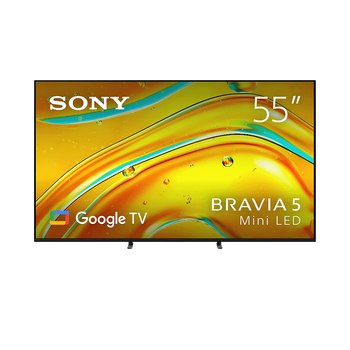









 Australia
 New Zealand